
SurveyNinja vs SurveySparrow: A Practical Comparison
If you’re comparing SurveyNinja and SurveySparrow, you’re not choosing between a “good” tool and a “bad” one. You’re choosing between two different approaches to feedback collection.
- SurveyNinja is built around practical survey creation: fast setup, logic, reporting, and integrations that help teams launch surveys quickly and work with results without extra complexity.
- SurveySparrow takes a broader approach. It combines conversational surveys with multi-channel distribution, recurring feedback programs, workflows, and tools designed to help teams act on responses after they come in.
So the main question is not “Which one is better?” It is: Which one better matches the way your team actually works?
Step 1: Define the real job your survey must do
In practice, most survey projects fall into one of two categories.
- The first is a fast survey execution tool. This includes lead generation forms, event feedback, product validation, internal polls, quizzes, lightweight market research, and routine questionnaires where the main priority is speed and clarity.
- The second is a feedback operations tool. This includes NPS, CSAT, CES, recurring pulse surveys, customer follow-up, owner assignment, and workflows where the responses need to trigger action.
Both platforms can support both scenarios. But they are optimized differently.
SurveyNinja is a strong match for teams that mainly need to create surveys, collect answers, and review results with minimal friction. SurveySparrow makes more sense when the survey is only one part of a bigger experience workflow.
Step 2: Survey experience — structured form vs conversational flow
One of the clearest differences between the two platforms is the respondent experience.

SurveySparrow: stronger conversational feel
SurveySparrow is known for conversational surveys and chat-style forms. Instead of looking like a traditional questionnaire, the experience often feels more guided and interactive, with one question at a time and a more modern flow.
That can be useful when:
- you want a more branded experience,
- your audience is mobile-first,
- you care about reducing drop-offs,
- you want the survey to feel less formal.
SurveyNinja: direct and efficient structure
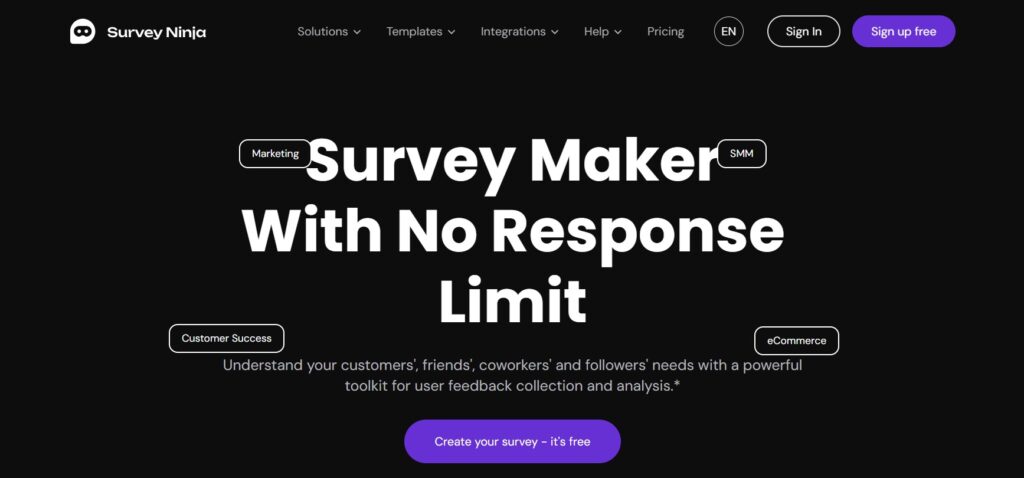
SurveyNinja follows a more classic survey-builder model. The focus is on getting a clean questionnaire live quickly, with clear structure, logic, and easy-to-read results.
That makes it a good fit when:
- you need to launch surveys fast,
- your team prefers a traditional format,
- internal usability matters more than conversational presentation,
- you want the survey process to stay simple.
Step 3: Logic and control — where does the complexity live?
Most teams think they are buying a survey tool, but in reality they are buying control.
SurveyNinja: complexity inside the survey
SurveyNinja works especially well when the main complexity lives inside the questionnaire itself. That includes branching logic, segment-based question paths, eligibility screens, quizzes, and structured research surveys where different respondents need different paths.
SurveySparrow: complexity beyond the survey
SurveySparrow also supports survey logic, but it becomes more interesting when the complexity starts after submission. That includes follow-up workflows, feedback handling, routing issues to the right person, and turning responses into a managed process.
A simple way to look at it:
- Choose SurveyNinja when most of the complexity happens during the survey.
- Choose SurveySparrow when most of the complexity happens after the survey.
Step 4: Distribution and collection channels
The next major difference is how and where responses are collected.
SurveySparrow: broader collection options
SurveySparrow supports a wider collection model, including email, web links, embeds, QR codes, recurring surveys, and offline use cases. That makes it more suitable for events, in-store feedback, field work, kiosks, and other situations where responses may be collected across different channels or even without a stable internet connection.
This matters if you need:
- on-site feedback collection,
- kiosk or tablet surveys,
- field research,
- multi-channel customer feedback.
SurveyNinja: simpler web-first workflow
SurveyNinja is more aligned with standard online survey distribution. For many teams, that is more than enough. If your surveys are shared mostly by link, embed, or standard digital channels, the simpler workflow can actually be an advantage.
Step 5: Integrations and what happens after responses come in
This is where many comparisons become practical.
SurveyNinja: simple and useful integrations
SurveyNinja fits teams that want responses to flow into the tools they already use. That includes spreadsheets, chat notifications, light automation, and flexible integrations that help teams stay inside their usual workflow.
This is a strong fit when your team wants to:
- send results to Slack or Telegram,
- push data into Google Sheets or Airtable,
- connect survey responses through webhooks or API,
- avoid extra operational layers.
SurveySparrow: more process-oriented follow-up
SurveySparrow is better suited for teams that need to do more after results arrive. Instead of simply collecting answers, the platform supports follow-up workflows, routing, and ticket-based handling for feedback that needs resolution.
This makes more sense when your team wants to:
- assign follow-up actions,
- route negative feedback,
- track resolution,
- treat survey responses as part of customer experience operations.
In simple terms:
- SurveyNinja works well for “collect responses and send them where we work.”
- SurveySparrow works well for “collect responses and turn them into a managed process.”
Step 6: Reporting and analysis
Both tools support reporting, but they serve slightly different needs.
SurveyNinja: reporting for clear decision-making
SurveyNinja is a good fit for teams that want straightforward analytics, readable summaries, and shareable results. This works especially well for marketing, HR, product teams, and internal operations where the goal is to understand responses and make decisions.
SurveySparrow: reporting connected to action
SurveySparrow can also handle reporting well, but one of its main strengths is that the insight is closely connected to follow-up. For teams that need to turn feedback into action, the reporting layer becomes part of a larger response system rather than the final step.
That difference is important:
- If insight is the endpoint, SurveyNinja may be enough.
- If insight needs to trigger action, SurveySparrow becomes more relevant.
Step 7: Pricing and scaling
Pricing should not be reduced to a single monthly number, but the pricing model still says a lot about product direction.
SurveyNinja starts at $0 and is easier to understand for teams that want a practical survey platform without paying for broader CX infrastructure.
SurveySparrow offers more layers and a wider operational scope, which makes sense if your organization needs more than survey creation and reporting.
So the better question is not just “Which one costs less?” but “What exactly are you paying for?”
With SurveyNinja, you are mostly paying for:
- survey creation,
- logic,
- reporting,
- integrations,
- a leaner workflow.
With SurveySparrow, you are more likely paying for:
- conversational experiences,
- broader collection options,
- recurring feedback programs,
- workflows,
- ticket-based follow-up,
- customer experience operations.
A better way to choose: run a short pilot
The safest way to decide is not to compare feature checklists. It is to test the workflow.
Build the same survey in both tools:
- 10–15 questions,
- at least one logic branch,
- one real distribution channel,
- one real reporting need.
Then evaluate what happens next.
Ask:
- Was the survey easy to build?
- Did the respondent experience feel right for the audience?
- Was it easy to view and share the results?
- Did follow-up require manual workarounds?
- Did the platform feel simple in a good way, or more operational in a useful way?
That test usually shows the right answer faster than any feature matrix.
Bottom line
SurveyNinja is a strong choice for teams that want a focused survey builder with clear logic, practical integrations, straightforward reporting, and an easier learning curve. It works especially well when the goal is to launch surveys quickly and keep the process lean.
SurveySparrow is a stronger choice when surveys are only one part of a broader experience workflow. It makes more sense for teams that care about conversational UX, multi-channel feedback collection, offline use cases, and structured follow-up after responses come in.